Text.app is a simple text editor for Chrome OS and Chrome. It's fast, lets you open multiple files at once, has syntax highlighting, and saves to Google Drive on Chrome OS.File bugs:https://github.com/GoogleChrome/text-app/issuesVersion 0.5.161- Support for opening .eml extension filesVersion 0.5.160- Language support added for: da, de, en-GB, es, es-419, fi, fr, fr-CA, it, ja, ko, nl, no, pl, ru, sv- Dark theme header bar styling changes- Transition animations addedVersion 0.5.157- UI Update Material Design- Add warning for unsaved progress on close using shortcut- Bug fix: translated messages not working- Bug fix: fail to focus already open window on launch- Other minor bug fixesVersion 0.5.96- Bug fix: scroll jumping backVersion 0.5.89- Bug fix and metricsVersion 0.5.87- Fix bug: Save As from app close warning not workingVersion 0.5.83- Warn for unsaved tabs on app close- Fix right click deselects text bug- Fix build errorsVersion 0.5.68- Mimic Sublime default Tab behaviourVersion 0.5.62- Chinese translation by @LarkinZero- Portugese translation by @sergiois- Bug fixes.Version 0.5.39- Bug fixesVersion 0.5.12- Fix syntax highlighting in Monokai.- Add Ctrl-Shift-W shortcut to close window.Version 0.5.7- Shows how many matching search results.- Remove old implementation of autosave feature.- Fix keyboard navigation in confirmation dialog.- Use newer version of CodeMirror library.- Suggest 'txt' extension for the newly created files.- Display 'Loading...' notification when loading a file.- Switch to the previous tab using Ctrl-Shift-Tab.Version 0.4.90- Reopen files on startup.- Suggest the filename for new files.- Show file path when hovering on tab name.- Bug fixes.Version 0.4.53- Switch from Ace to CodeMirror editor component.- Make left panel resizable and remember the state.- Report errors while saving file.- Add an option to translate tabs to spaces.- Underscore the matching bracket.- Add an option to turn on/off smart indentation.- Fixed several bugs.Version 0.4.18- Fixed a saving bug for M-30 canary.Version 0.4.12- Bug fixes and UI tweaksVersion 0.4.1- Rolled a new version of the underlying code editor- No longer matching to *.* file extensions on Chrome OS- Visual tweaks to title bar- Bug fixesVersion 0.3.16- Change font size with Ctrl-+ / Ctrl--- Add an option to switch line numbers on/off.- Change shortcut for opening sidebar from Ctrl-Space to Alt-Space.- Disable autosave until the relevant issue in Chrome is resolved.
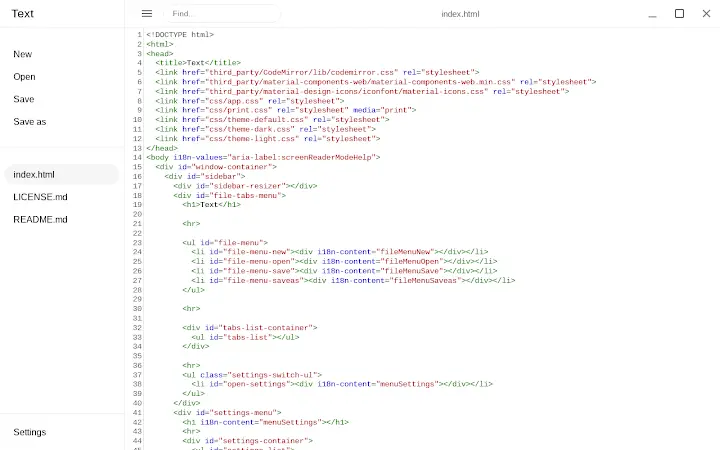
Text App for Chrome
0.0
Download nicht verfügbar
App des Tages

Brag Champ
App-Details
- Version
- 0.8.4
- Größe
- 539.96 KB
- Aktualisiert
- November 30, 2023
- Entwickler
- text.app
- Kategorie
- Extension
Beschreibung
TotalVirus geprüft
Diese Software wurde auf Malware geprüft und als sicher zum Herunterladen bestätigt.
Anleitungen & Tutorials für Text App for Chrome
So installierst du Text App for Chrome
- Klicke oben auf die Schaltfläche Vorschau / Download.
- Akzeptiere nach der Weiterleitung die Bedingungen und klicke auf Installieren.
- Warte, bis der Download von Text App for Chrome auf deinem Gerät abgeschlossen ist.
So verwendest du Text App for Chrome
Diese Software wird hauptsächlich für die oben beschriebenen Kernfunktionen verwendet. Öffne die App nach der Installation, um ihre Möglichkeiten zu erkunden.
Nutzerbewertungen für Text App for Chrome 0
Keine Bewertungen gefunden
Ähnliche Apps



App des Tages
Brag Champ
Empfohlene Apps

diados
Extension

diados
Extension

读取 USB 与串行接口设备的数据 App for Chrome
Extension

思维简图 App for Chrome
Extension

Relax.li ☯ App for Chrome
Extension